Muscle memory, included.
Move with vim keys. Search with /. Hit r to reply. Prefer a mouse? Folders, messages, links, and attachments are clickable too.
You already live here.
Bring your inbox.
Real images. Familiar keys. AI on your terms. A proper email client for the place you get things done.
Get monospace macOS & Linux · Free & MIT licensed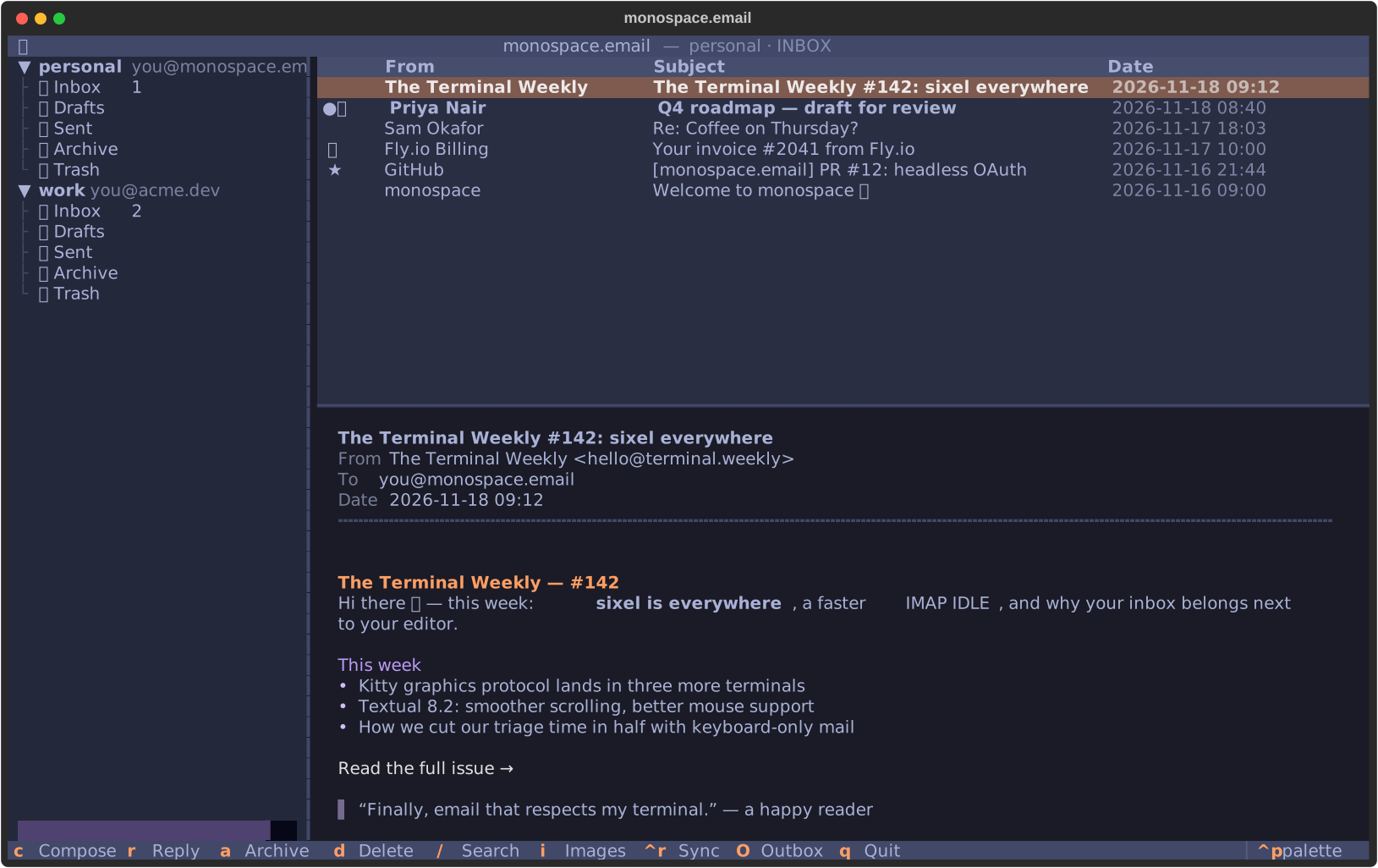
Keep the good parts of email. Put them somewhere that feels like you.
Move with vim keys. Search with /. Hit r to reply. Prefer a mouse? Folders, messages, links, and attachments are clickable too.
Inline images and animated GIFs, inside your terminal. Kitty graphics or Sixel when supported; coloured half-blocks elsewhere. Remote images stay blocked until you ask.
Read cached mail and search locally with SQLite. Work over SSH, on headless Linux, or on your Mac. Your inbox doesn't need a desktop to feel at home.
A built-in MCP server lets Claude, Codex, or another agent search, triage, draft, and reply. You choose what happens when it tries to send.
Read the MCP setup guideyou → agent“Reply to that email.”
Agent sends are saved to your Drafts folder. Nothing is sent until you take it from there.
Interactive policy example · your real inbox stays in your terminal.
For macOS and Linux, including headless servers. The installer handles uv and Python if you need them.
curl -fsSL https://monospace.arp244.dev/install.sh | shmonospaceThat's it. Add your first account in the app.No. Connect Gmail, Outlook / Microsoft 365, or an IMAP + SMTP account. Several accounts appear together in one folder tree.
Monospace automatically detects Kitty graphics and Sixel in compatible terminals. Other terminals use coloured half-blocks. Remote images are blocked by default; press i to load them.
No. Monospace is a complete terminal email client on its own. The MCP server and JSON CLI are there when you want to connect an agent or write a script.
Yes. Monospace is MIT licensed. Read the source, report a bug, or contribute on GitHub.